You’ve spent three hours tweaking chart colors, adding indicators you’ll never use, and watching YouTube tutorials on “secret” TradingView features that promise to unlock the market’s hidden code.
Meanwhile, your actual trading account looks like a crime scene.
Here’s the uncomfortable reality most traders won’t admit: you’re not losing money because your charting software lacks some magical feature. You’re losing because you think better tools will fix broken psychology.
This TradingView review 2026 isn’t going to sugarcoat anything. I’ve seen too many traders YOLO their savings into oblivion while obsessing over the perfect indicator setup. Let’s talk about what TradingView actually is, what it isn’t, and the seven brutal truths you need to hear before you drop a dime on any charting platform.
What TradingView actually is (and why you should care)
TradingView is a web-based charting platform and social network used by over 100 million traders worldwide. Think of it as the Instagram of trading, except instead of filtered vacation photos, you get professional-grade charts and a community that actually shares useful analysis (most of the time).
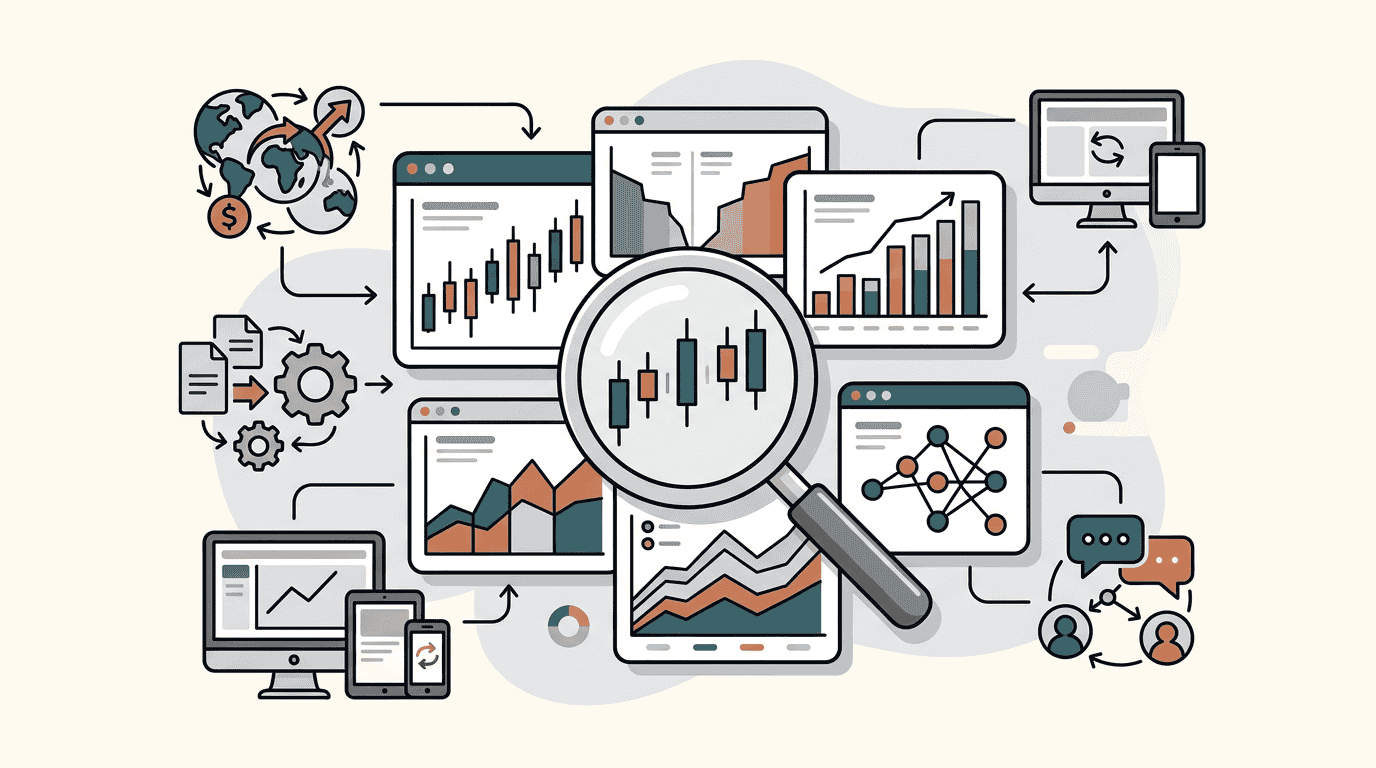
The platform covers pretty much everything: stocks, forex, crypto, commodities, even lumber futures if that’s your thing. You get 400+ built-in indicators, 110+ drawing tools, and access to 3.5+ million instruments globally. The charts sync across devices, and you can trade directly through integrated brokers without switching platforms.
But here’s what TradingView is NOT: it’s not a magic money machine. It won’t turn bad trades into good ones. And it definitely won’t fix the emotional demons that wreck most portfolios.
Brutal truth #1: The free plan is basically unusable
Let’s get this out of the way. TradingView’s free plan exists for one reason: to make you upgrade.
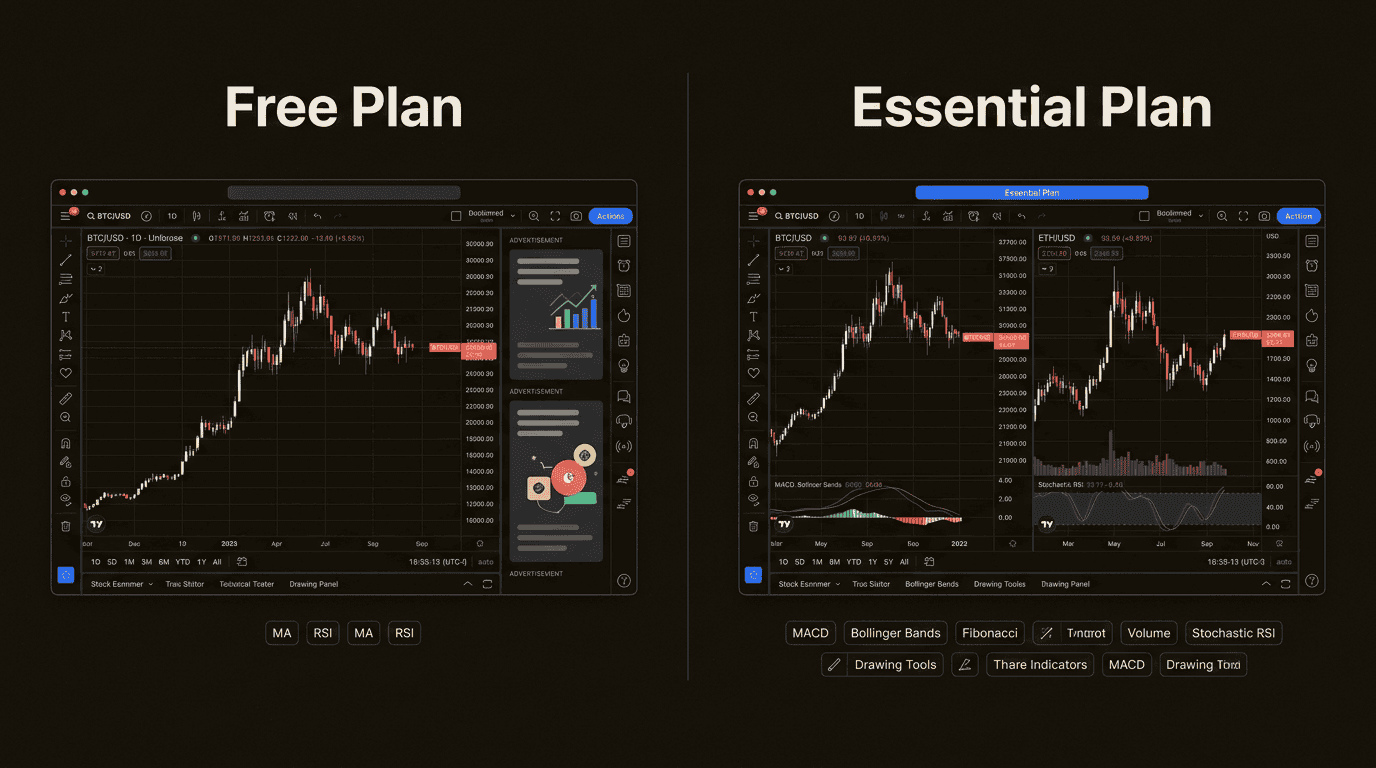
You’re limited to one chart per tab, two indicators per chart, and three price alerts. That might sound generous until you realize those “alerts” expire after a month, and the ads aren’t just annoying, they’re strategically placed to interrupt your workflow at the worst possible moments.
Trying to analyze a stock with only two indicators is like trying to diagnose a car problem with a spoon. Sure, you can poke around, but you’re missing most of the picture. And those ads? They’ll drive you insane within a week.
The free plan is fine for checking stock prices or casual browsing. But if you’re serious about trading, you’ll need to upgrade. Which brings us to…
Brutal truth #2: Premium pricing is a ripoff for 99% of traders
TradingView’s pricing starts at $12.95/month (billed annually) for Essential and goes all the way up to $199.95/month for Ultimate. Let’s break down what you’re actually paying for:
| Plan | Annual Cost | Charts/Tab | Indicators/Chart | Alerts | Best For |
|---|---|---|---|---|---|
| Essential | $155.40 | 2 | 5 | 20 price, 20 technical | Most retail traders |
| Plus | $339.48 | 4 | 10 | 100 price, 100 technical | Active traders |
| Premium | $677.88 | 8 | 25 | 400 price, 400 technical | Serious analysts |
| Ultimate | $2,399.40 | 16 | 50 | 1,000+ each | Professionals only |
Source: TradingView pricing page
Here’s the thing: Ultimate at $2,400/year is completely unjustified unless you’re managing millions or running a hedge fund. For 99% of retail traders, Essential or Plus has everything you need.
The psychology of upselling is real. TradingView (like every SaaS company) wants you to think you need more features than you actually do. You don’t. Start with Essential. You can always upgrade later.
Brutal truth #3: 400 indicators won’t fix your emotional trading
TradingView’s platform comes with 400+ built-in indicators and access to 100,000+ community-created scripts. Sounds impressive, right?
Here’s the dirty secret: most successful traders use maybe 5-10 indicators regularly. The rest is noise.
The real problem isn’t lack of tools. It’s psychology. Fear makes you sell the bottom. Greed makes you buy the top. Together, they’re the dysfunctional couple that wrecks portfolios while you’re busy adding another MACD line to your chart.
More indicators won’t save you from:
- Revenge trading after a loss
- FOMO-buying parabolic moves
- Ignoring your stop losses
- Adding to losing positions
The best trading tools in the world are useless if you’re trading on emotion. Period.
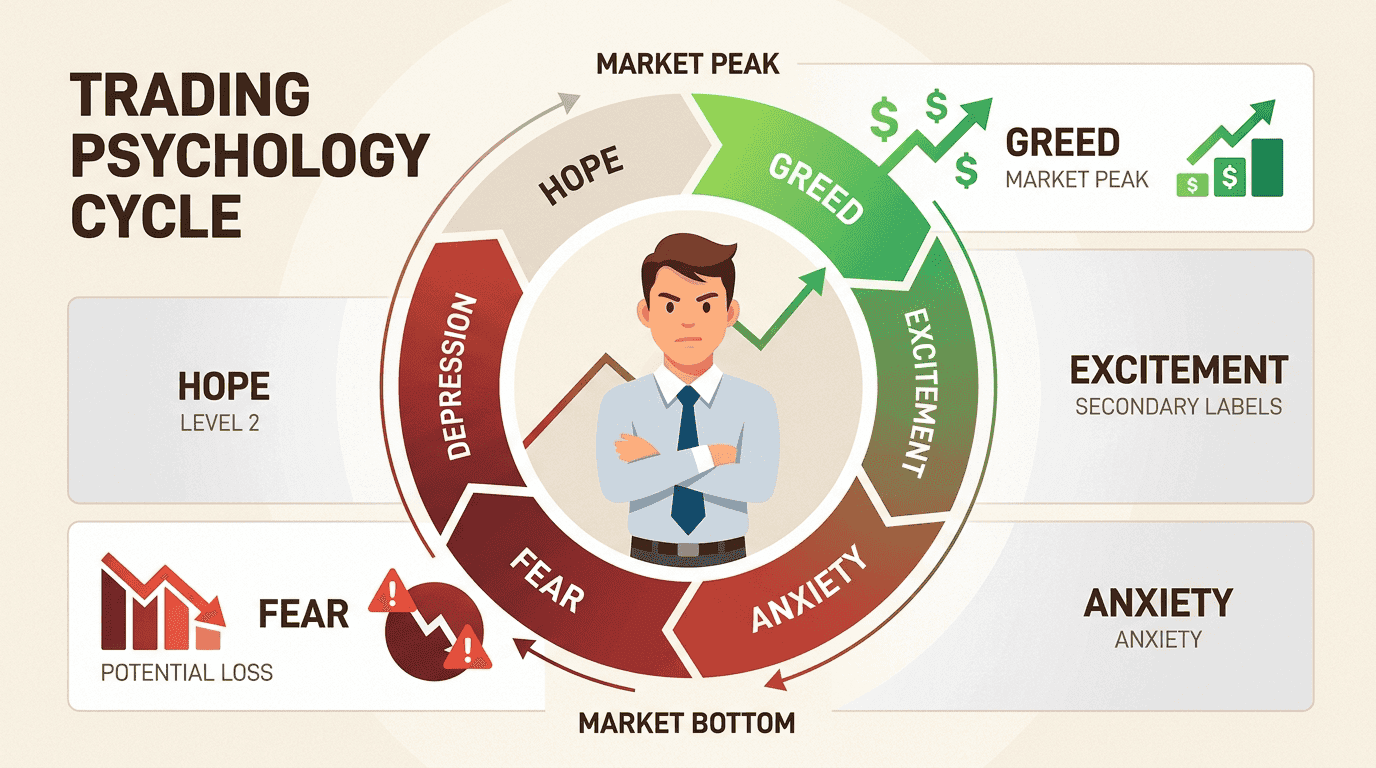
Brutal truth #4: The community can mislead you into bad trades
One of TradingView’s selling points is its social network. You can follow other traders, see their analysis, and even copy their ideas.
This is a double-edged sword sharper than most traders realize.
For every skilled analyst sharing genuine insights, there are ten others posting rocket emojis and “to the moon” predictions based on vibes. The problem isn’t the bad advice. It’s that following others’ trades without understanding the reasoning creates a dangerous dependency.
You see someone post a winning trade. Your brain goes: “I should have taken that.” You see someone post technical analysis. Your brain goes: “That looks convincing.” Next thing you know, you’re entering positions you don’t understand because a stranger with a cool profile picture said it was a good idea.
The community is valuable for learning. It’s dangerous for copying. Know the difference.
Brutal truth #5: Mobile is for monitoring, not serious analysis
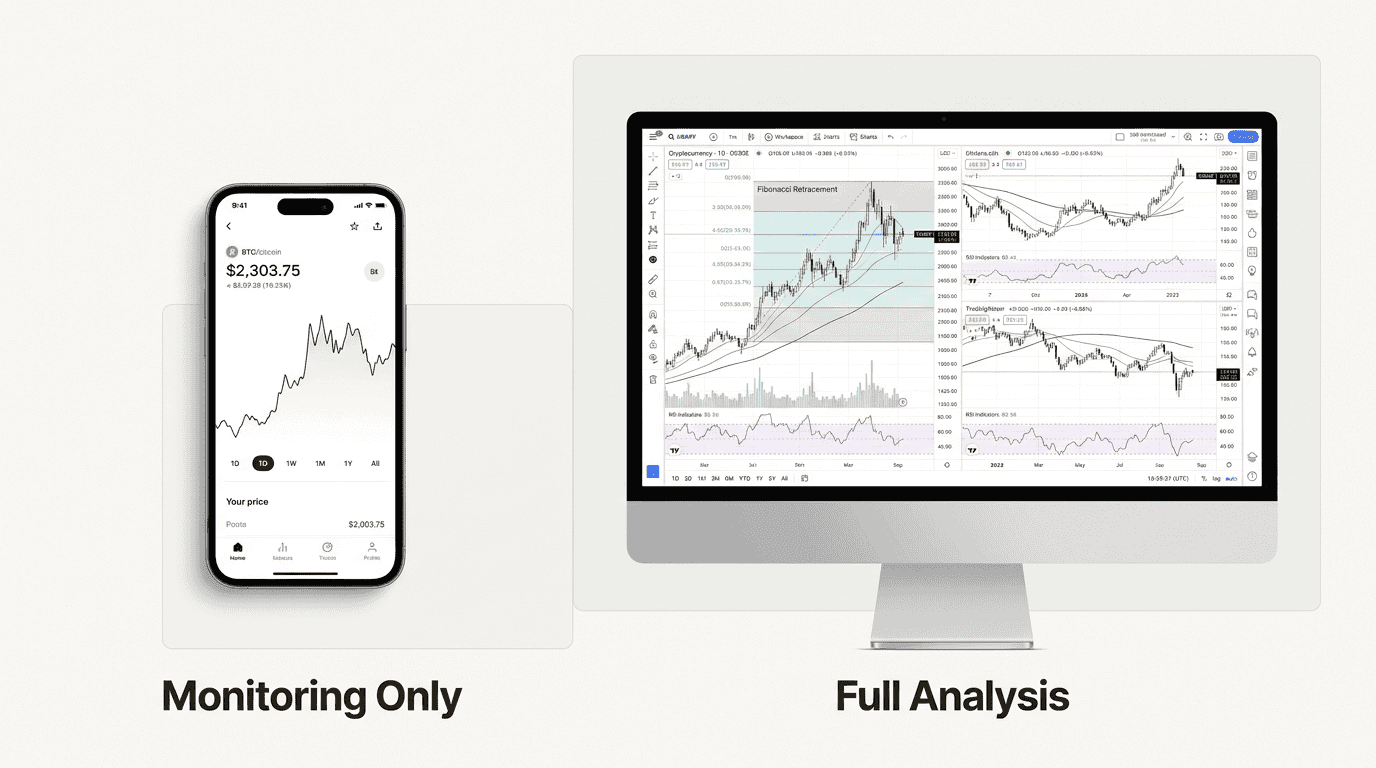
TradingView’s mobile app is solid for checking charts on the go and getting push notifications. But let’s be clear: serious technical analysis requires a desktop screen.
Trying to draw trendlines or analyze multiple timeframes on a 6-inch phone screen is like performing surgery with a butter knife. You can do it, but the results won’t be pretty.
The danger isn’t that mobile is limited. It’s that mobile makes trading too easy. You can enter positions while waiting in line for coffee, half-paying attention, based on a chart you can barely see. That’s how stupid mistakes happen.
Use mobile for monitoring. Use desktop for analysis. Your account balance will thank you.
Brutal truth #6: Pine Script has a steeper learning curve than advertised
Pine Script is TradingView’s programming language for creating custom indicators and strategies. The marketing makes it sound like “English, but for computers.”
The reality? It’s still programming. There’s syntax to learn, logic to understand, and debugging to endure. That “simple” custom indicator you want to build might take weeks to get right if you’ve never coded before.
The good news: there’s a massive library of pre-built scripts you can use for free. The bad news: most traders would be better off mastering the built-in indicators before trying to build their own.
If you want to develop custom strategies, Pine Script is powerful. But budget time for the learning curve. It’s not as “no-code” as the marketing suggests.
Brutal truth #7: Your platform doesn’t matter if your psychology is broken
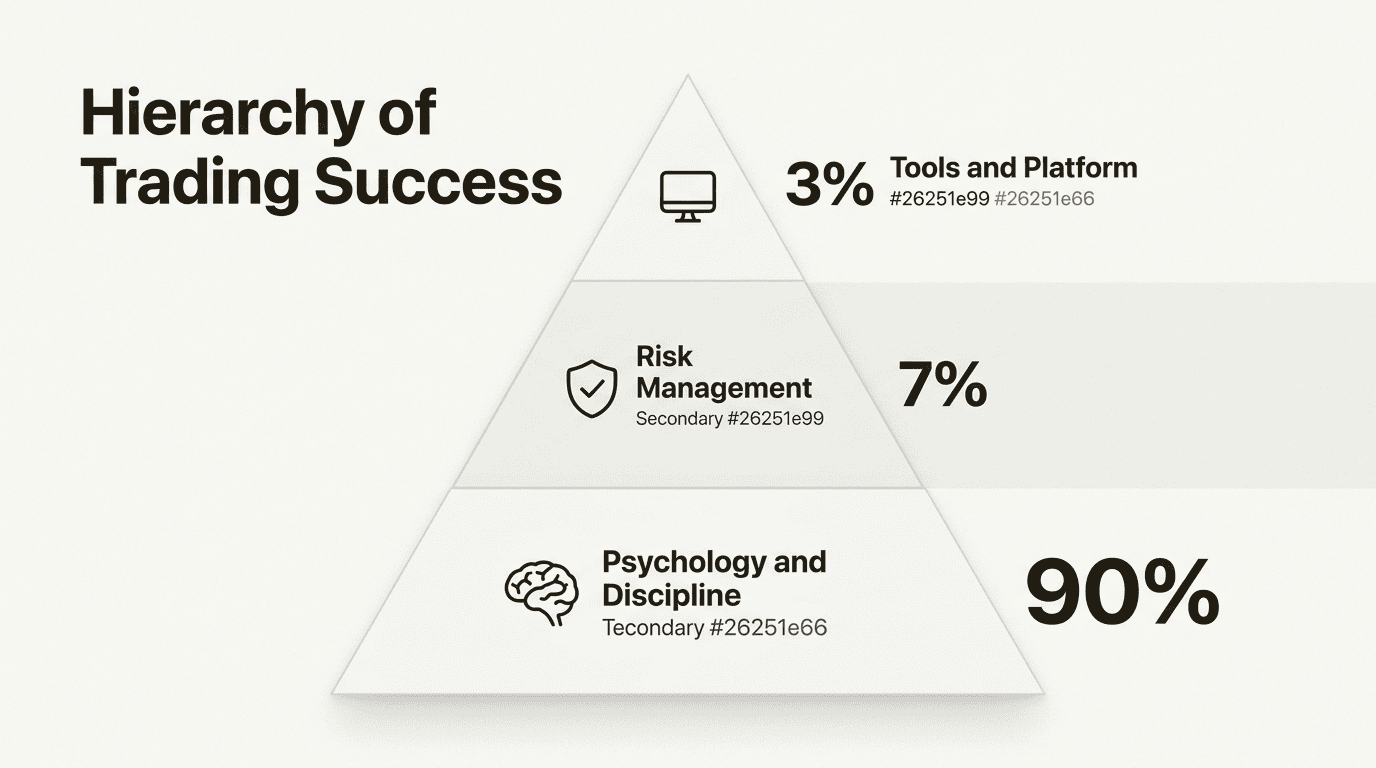
This is the most important truth, so I’ll say it loud: TradingView won’t fix revenge trading, FOMO, or lack of discipline.
The platform is maybe 10% of your trading success. Psychology is 90%.
I’ve seen traders blow up accounts using the most expensive technical analysis software available. I’ve seen others make consistent profits with basic free charts. The difference isn’t the tools. It’s the trader.
The seven trading sins will wreck you regardless of your platform:
- Lust: Chasing hype instead of discipline
- Gluttony: Overloading on one setup until it becomes weakness
- Greed: Wanting the whole move instead of the probable one
- Sloth: Under-preparation in constantly changing markets
- Wrath: Revenge trading and emotional overreaction
- Envy: Measuring progress against other traders
- Pride: Refusing to adapt or admit being wrong
Fix your psychology first. Then worry about your charting platform.
Who should actually use TradingView
Despite all the brutal truths, TradingView is absolutely worth it for the right person.
You’re a good fit if:
- You trade multiple markets (stocks, crypto, forex)
- You rely on technical analysis for decision-making
- You want to develop and backtest custom strategies
- You learn from community discussion (not copying)
- You need synced access across desktop and mobile
Skip it if:
- You’re a pure buy-and-hold investor focused on fundamentals
- You only trade one market and already have a platform you like
- You’re looking for advanced options analytics (try Thinkorswim)
- You expect automated trading bots (TradingView doesn’t do this directly)
- You think software will fix your emotional trading problems
TradingView vs. the competition
Here’s how TradingView stacks up against alternatives:
| Platform | Best For | Annual Cost | Key Difference |
|---|---|---|---|
| TradingView | Charts, community, multi-market | $155-$2,400 | Best overall versatility |
| MetaTrader 4/5 | Forex, automated trading | Free | Forex-focused, dated interface |
| NinjaTrader | Futures, advanced analytics | $720+ | Overkill for most retail traders |
| TrendSpider | Pattern recognition | $1,188+ | AI features but expensive |
| Finviz | Stock screening | Free-$300 | Good for fundamentals |
TradingView wins on versatility and ease of use. MetaTrader is better if you’re forex-only. NinjaTrader has more power but way more complexity. TrendSpider has cool AI features but costs too much for what you get.
Making TradingView work for you (without going broke)
If you decide TradingView is right for you, here’s how to not waste money:
- Start with Essential, not Premium. The jump from Essential to Plus often isn’t worth the extra $184/year unless you’re actively trading daily.
- Use the 30-day free trial. Every paid plan comes with a trial. Actually use it before committing.
- Focus on 5-10 indicators max. Master a few tools instead of drowning in 400+ options.
- Journal every trade. TradingView has built-in journaling. Use it. Track your emotional state, not just your P&L.
- Don’t chase every feature. You don’t need second-based intervals or tick charts unless you’re scalping. Keep it simple.
- Check broker partnerships. Some brokers offer TradingView discounts to their customers.
Start trading like a professional (not a platform collector)
If you’re still reading, you probably want the bottom line.
TradingView is worth it for most active traders. The charting is genuinely excellent, the community can be valuable (if used correctly), and the cross-platform sync actually works. For $155/year, Essential gives you professional-grade tools without breaking the bank.
But here’s the truth that matters: if you’re still guessing instead of analyzing, that’s on you. If you want actual data and are willing to do the work, start using TradingView.
The platform won’t make you profitable. Only you can do that. But it will give you the tools to analyze markets properly, which is more than most traders actually do.
Stop collecting platforms. Start building discipline. Your future self (and your portfolio) will thank you.
Frequently Asked Questions
Is TradingView worth it for beginners in this TradingView review 2026?
Yes, but start with the free trial first. Beginners benefit from TradingView’s clean interface and educational community, but don’t pay for Premium until you know you’ll actually use the advanced features. Most beginners only need Essential.
How does TradingView review 2026 pricing compare to previous years?
TradingView has maintained relatively stable pricing, with annual discounts saving you up to 17% compared to monthly billing. The Essential plan at $155/year remains the sweet spot for most traders, unchanged from previous years.
Can you make $200 per day using TradingView charting tools?
TradingView doesn’t determine your profitability, you do. The platform provides data and analysis tools, but making consistent profits depends on your strategy, risk management, and psychology. Focus on process, not daily dollar targets.
What should I look for in a TradingView review before subscribing?
Look for honest assessments of pricing tiers, not just feature lists. Most reviews hype the 400+ indicators without mentioning you’ll use 10. Check if the review addresses mobile limitations and the Pine Script learning curve.
Is TradingView a Russian company as some people ask?
No. TradingView was founded in 2011 and operates globally with institutional-grade data partnerships based in the US and worldwide. The platform is used by 100+ million traders globally and partners with Wall Street data providers.
Which is the most accurate indicator in TradingView for 2026?
There’s no ‘most accurate’ indicator. Accuracy depends on market conditions, timeframe, and how you use it. Most successful traders combine 3-5 indicators they understand deeply rather than chasing some mythical perfect tool.
Keep Learning: Related Investing Guides
→ M1 Finance vs TradingView: Which One Actually Belongs in Your Stack?
Two platforms doing two entirely different jobs. This settles which does which, and whether you need both.
→ 7 Best AI Investing Tools for 2026 (Tested, Not Demoed)
Charts are one problem. Automation is another. Seven tools tested with real money, including the ones that quietly bill you.
→ 7 Best Brokerages for Dividend Investing in 2026
Charting software does not hold your shares. Here is where the shares actually live, ranked on DRIP quality and fees.